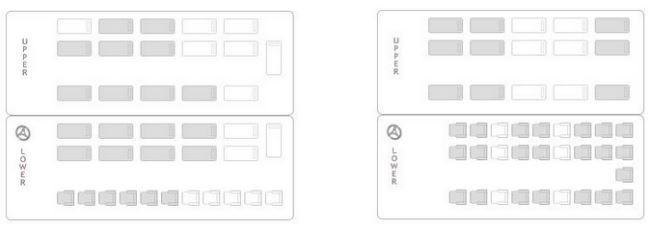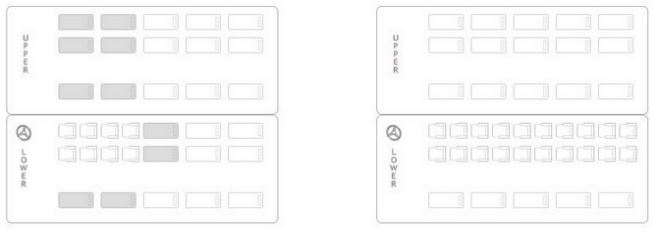
This page usually ends up generating the most number of errors.Basic key has to do with laying out based on the row column fields from the json object for the seats.
Boarding point selection comes from the previous page.


The Json object of a single seat is given below:
{ ["available"]=> string(4) "true" ["column"]=> string(2) "12" ["fare"]=> string(5) "700.0" ["ladiesSeat"]=> string(5) "false" ["length"]=> string(1) "1" ["name"]=> string(2) "49" ["row"]=> string(1) "4" ["width"]=> string(1) "1" ["zIndex"]=> string(1) "0" }
Above I have highlighted the attributes that are mainly used for the layout.The ones in Yellow are the ones used for positioning the seats and the ones in Orange are the ones for knowing what kind of seats they are and the image associated with each.
As you know ZIndex is used to identify if its upper berth or lower berth. Now say we're taking the seater type bus which has only lower section.
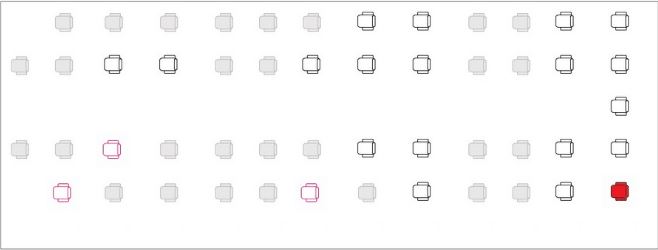
Imagine this whole layout as a 2D array. Where each seat is an element of the array. So they will be stored as SeatArray['row']['column'].
Eg.
SeatArray[4][12] ={ [<"available"]=> string(4) "true" ["column"]=> string(2) "12" ["fare"]=> string(5) "700.0" ["ladiesSeat"]=> string(5) "false" ["length"]=> string(1) "1" ["name"]=> string(2) "49" ["row"]=> string(1) "4" ["width"]=> string(1) "1" ["zIndex"]=> string(1) "0" }
This way each seat is stored in the array. So when displaying you just have to use for loop for going through the array and outputing based on the type of seat as now the positioning is taken care of. You could try making each seat a
For deciding the image that needs to be put use the orange fields like "available" = 'true' shows that the seat is vacant and then within this check if it is "ladiesSeat" or not. And if it is not available the respective image should be chosen.
Now in the case when there are upper and lower berths , the storing will be done with a minor addition.
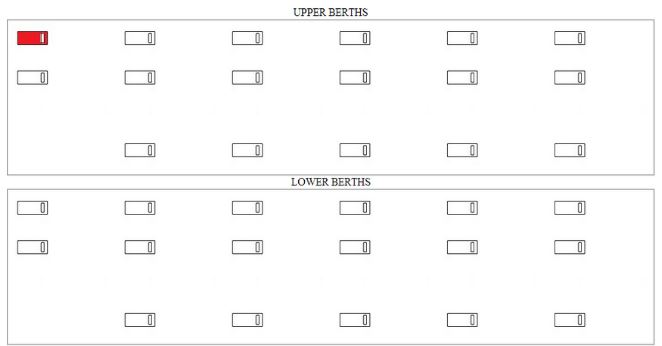
You can take it as a 3D array : SleeperArray['zIndex']['row']['column'] = $element;
SleeperArray[1][0][0] - { ["available"]=> string(4) "true" ["column"]=> string(1) "0" ["fare"]=> string(8) "2199.000" ["ladiesSeat"]=> string(5) "false" ["length"]=> string(1) "2" ["name"]=> string(2) "A4" ["row"]=> string(1) "0" ["width"]=> string(1) "1" ["zIndex"]=> string(1) "1" }
So here there will be an additional for loop needed for the upper and lower sections.
Take care of the different layouts that maybe present which have slightly more unique layouts.