Overview
With the current set of web services provided, the client can perform the following functions:
- Check the availability
- Ticket Booking
- Ticket Cancellation
This API gives partner an exposure to a large inventory of 700 bus operators and 10,000+ routes all over India. Its a secured API which follows OAUTH authentication parameters.
Activities
Booking Service
Location Information Service
Description: https://erp.pay2all.in/api/user/bus/cities
This above provides information about all the cities to
which services are available. Each city is represented by a unique
city id. This service provides APIs to fetch the list of all cities
with their city ids.The client would use this list to map city id
to city name.A client would typically maintain the list of cities
in its database and would update the same periodically. It is
suggested that client clears the entire list and fetches the entire
list at least once in 7days.
Method:
getCities() - Returns CityList object, call this to get the
list of all the cities
Sample Screen
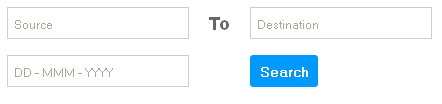
Search Trips
Description:
https://erp.pay2all.in/api/user/bus/availabletrips?source=3&destination=6&doj=2021-01-09
Client would display the list of sources and
destinations and take the following inputs from the user.
1.
Source,
2. Destination,
3. Date of journey
Method:
getAvailableTrips(sourceId,DestinationId,DateOfJourney) - Returns
AvailableTripList object (the full list of all services across all
the bus operators)
Sample screen:
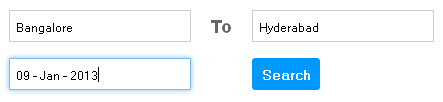
Screen shot with pre-filled Source and Destination along with
journey date.
 Description:
https://erp.pay2all.in/api/user/bus/availabletrips?source=3&destination=6&doj=2021-01-09
Description:
https://erp.pay2all.in/api/user/bus/availabletrips?source=3&destination=6&doj=2021-01-09
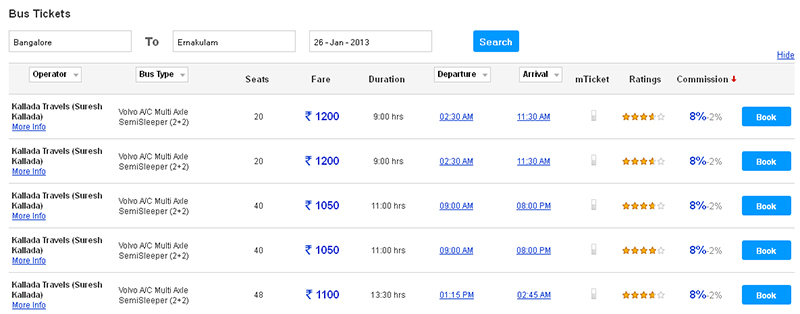
Returns AvailableTripList object (the full list of
all services across all the bus operators).Client would make a
call to the sever using the above parameters and fetch the list of
all services across all the operator. Client then displays the
trip list (all available bus services) to the user and allows him
to select one of them.
The above provides list of Boarding points to which services are available.Client would make a call to get list of boarding points and their respective boarding times, landmark,complete address and contact numbers for the specified route.
Method:
getTripDetails(tripId) - Returns TripDetails object for a
particular Trip
Sample screen:
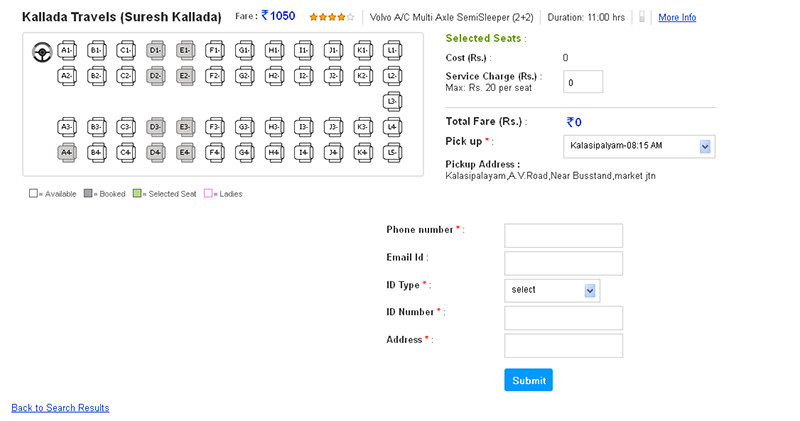
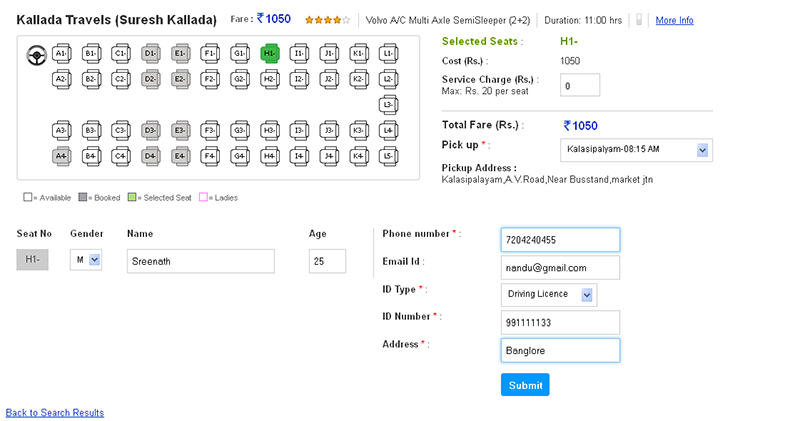
Select Seat and Capture Passenger Details
Description: When Is Available is
True,user selects the bus service which will fetch the Seat layout
.The client also fetches list of boarding points for the selected
route and displays them for the user to select.User selects Seat,
boarding point and give passenger details
When Is
Available is False user is not allowed to select seat as they all
are sold out.
User needs to fill the following passenger
details:
1. Title (Mr/Mrs/Ms/Miss)
2. Full name
3. Age
4. Mobile
5. Email
6.Gender
7.IDtype
8.IDnumber
9.Bookingtype
10.Primary
11.Address
Sample screen:
Book Ticket Tentatively
Description:
https://erp.pay2all.in/api/user/bus/blockTicket
This is
post method which takes BlockRequest in request body and returns
BlockKey (String. This has been made as two steps to allow some
payment collection before confirming the seat.
Once
user gives all the above details along with the seat numbers and
boarding point, client calls the server to book the seats
tentatively. If the specified seats are still available, the
server blocks them tentatively and returns a tentative booking
reference number(Block key). The seats will be blocked under the
given reference number. These seats are blocked for some specified
time(8 Min)and this value is returned in the tentative booking
confirmation .If there is no confirmation call (next step) from
the client before that time, the server will unblock the seats.
Method:
blockTicket(requestString) - This is post method which takes
BlockRequest in request body Returns BlockKey (String), do this as
a step before actually confirming the seat.
This
has been made as two steps to allow some payment collection before
confirming the seat. bookTicket(tentativeresponsekey) - Returns
TIN for booked ticket.
Confirm Ticket
Description:
https://erp.pay2all.in/api/user/bus/bookticket?blockKey=hfowlsjf Returns
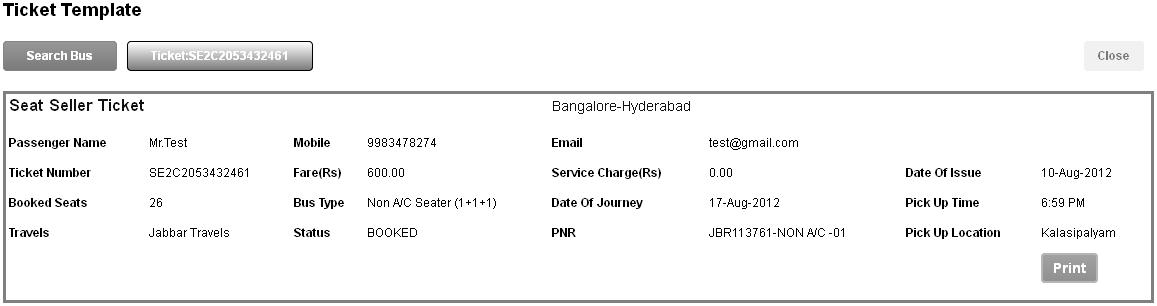
TIN for booked ticket.Once the ticket was tentatively booked,
client/user collects the ticket fare from the customer and calls
the server to confirm the booking. The client needs to give the
tentative reference number(Block key) to confirm the ticket. The
server will return the confirmed ticket details including Ticket
number.
Method:
getTicket(tinString) - Returns Ticket object for given TIN
Cancellation Service
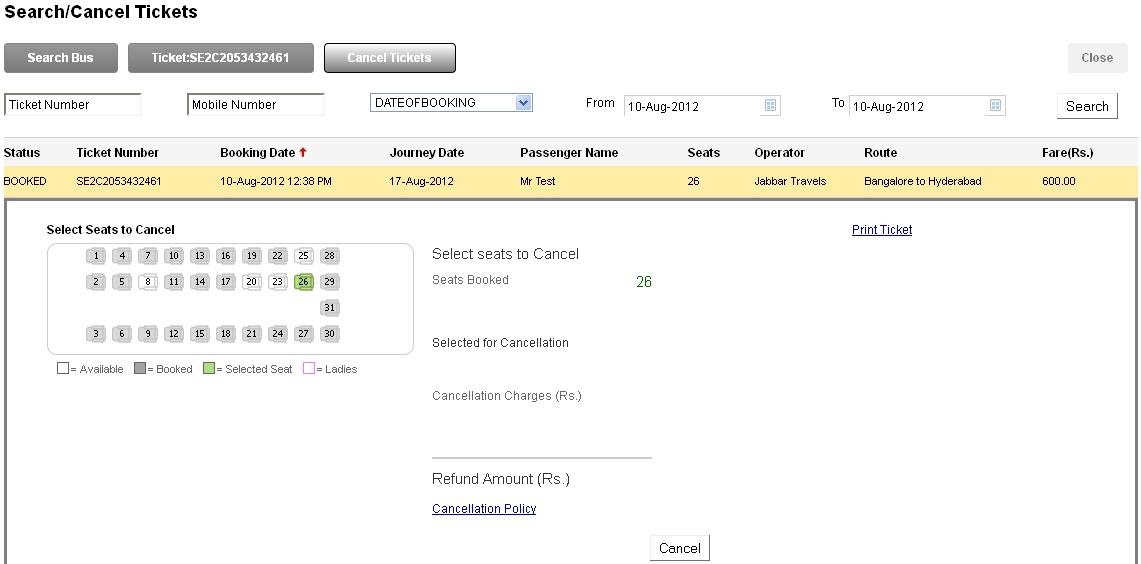
Description: This service provides the
required APIs for ticket cancellation. getCancellationData -
Gives the cancellation data (isCancellable, cancellation charges,
refund amount etc.) for given tin.
IsTicketCancellable - Cancellation status which tells if the
ticket is cancelable, the refund amount, cancellation policy and
cancellation charges.
CancelTicket
- To cancel the ticket
https://erp.pay2all.in/api/user/bus/cancellationdata?tin=S293047480AHD
Returns CancellationData object which contains
cancellation charges and refund amount details.Client would make
a call to get the details of the ticket to be cancelled.The
server would return the amount that can be refunded in case the
ticket is cancelable. User then cancels the ticket and issues
refund to the customer.
https://erp.pay2all.in/api/user/bus/cancelticket
This is
post method which takes CancelRequest in request body Returns
CancellationResponse which contains cancellation details. Client
would make a call to server to cancel the ticket.
Method:
getCancellationData(cancellationTinString) - Returns
CancellationData object which contains cancellation charges and
refund amount details. cancelTicket(makeCancellationRequest) -
This is post method which takes CancelRequest in request body
Returns CancellationResponse which contains cancellation details.
Sample screen:
Back to top